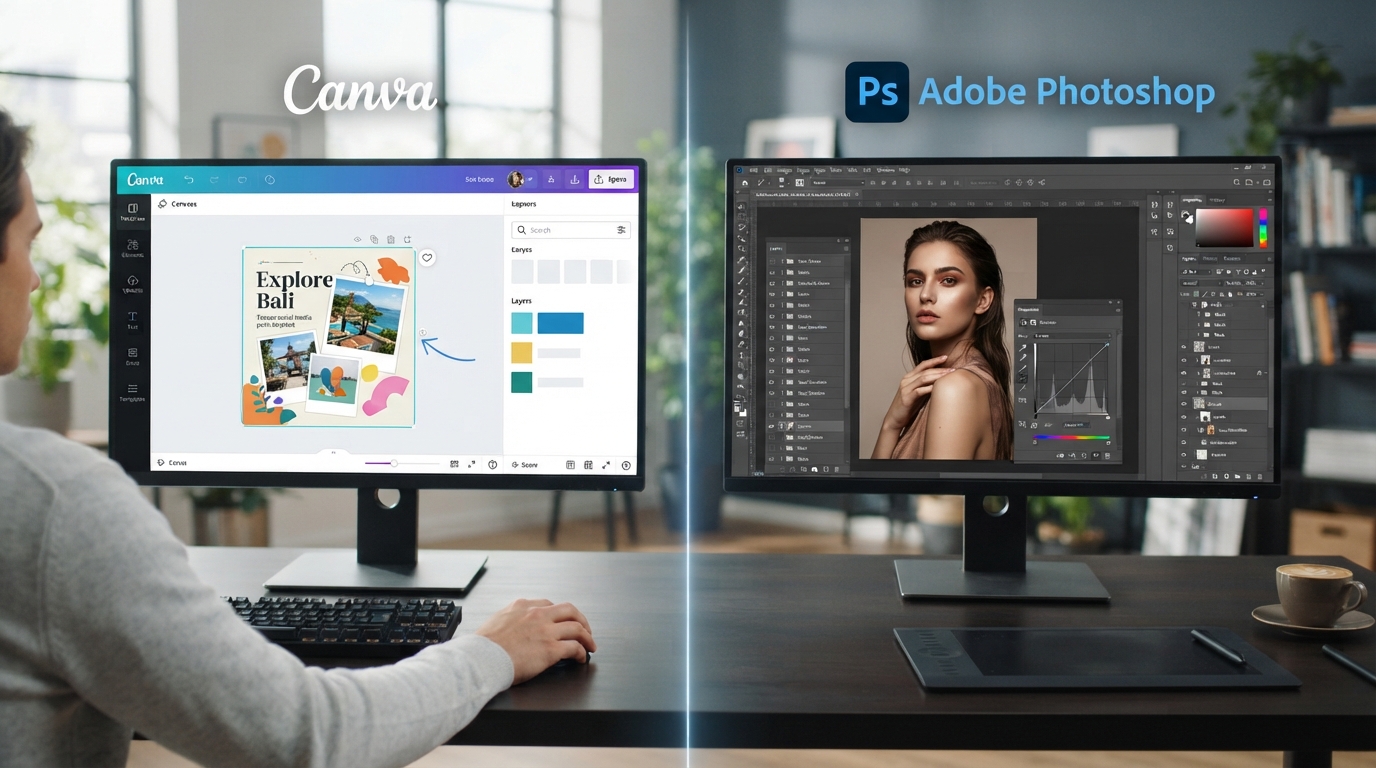
This comparison comes up constantly for beginners trying to figure out where to actually start, and treating it as an either-or choice misses the more useful, practical reality: these tools serve genuinely different purposes and most working designers eventually use both.
Why Canva Makes Sense as a Genuine Starting Point
Canva's accessible, template-driven interface lets beginners focus on genuine design principles, layout, color harmony, typography pairing, without getting overwhelmed by a steep technical learning curve first. This matters enormously for beginners, since the goal early on is building real design judgment, understanding why one layout works better than another, not fighting with complex software just to produce anything at all.
This accessibility doesn't make Canva a lesser tool, it makes it a genuinely smart entry point that lets you build and test design instincts quickly, iterating through many layout and color options in the time it might take to learn just the basic interface of more complex software.
What Photoshop Adds Once You're Ready
Photoshop offers considerably deeper, more granular control, precise image editing, complex layering, advanced typography control, professional print preparation, capabilities that become genuinely necessary for certain types of design work, particularly detailed photo editing or highly customized branded materials that templates simply can't achieve.
This deeper control comes with a real learning curve though, which is exactly why starting here, before you've built genuine design judgment through a more accessible tool, can leave beginners fighting the software itself rather than actually developing their design thinking, the more important skill in the long run.
How These Tools Complement Each Other in Real Work
In practice, many working designers use Canva for fast-turnaround social media content and marketing materials, while reaching for Photoshop specifically when a project genuinely demands more precise, detailed control, a complex photo composite, detailed print preparation, or highly customized brand assets that off-the-shelf templates can't deliver.
Understanding both tools, and genuinely knowing which one fits a specific task, is itself a valuable, practical skill that makes you more versatile and useful across a wider range of real design requests than committing exclusively to just one.
How VAA Global's Graphics Design Course Sequences This
VAA Global's Graphics Design course runs 10 weeks and deliberately builds core design principles first, using accessible tools like Canva, before introducing the deeper control of Adobe Photoshop and Illustrator, so you build genuine design judgment before tackling more complex software.
This sequencing means you're never fighting unfamiliar software while also trying to learn fundamental design thinking simultaneously, each stage builds cleanly on the one before it, which is exactly why the course is structured this way rather than throwing you into the most complex tool immediately.
Putting This Into Practice
A Closer Look at Building a Genuinely Versatile Toolkit
Employers reviewing a design portfolio are generally less concerned with which specific software produced a given piece and considerably more concerned with whether the underlying design thinking, composition, hierarchy, color choices, genuinely serves the piece's purpose, which is precisely why building strong fundamentals matters more than software brand loyalty.
Over time, most working designers naturally develop a sense for which tool fits which task quickly, without needing to consciously deliberate, but that intuition only develops once the underlying design judgment is genuinely solid, which is exactly why the learning sequence matters as much as it does.
That intuition, knowing instinctively which tool a given task calls for, is genuinely one of the clearer signs of a designer who has moved past the beginner stage into real, practical competence.
Learning to recognize it in yourself is itself a useful checkpoint on your own progress.
It tells you the fundamentals are genuinely sinking in, not just the software.
That progress is worth noticing and genuinely worth being proud of.
If you're not yet certain this is the right direction for you, VAA Global's free Career Compass quiz at vaaglobal.tech/career-compass takes a few minutes and points you toward what actually fits.
When you're ready to start applying, VAA Global Talent at talent. vaaglobal.tech gives you direct access to real employers looking for graduates with this background.
Once you have real experience to show, the free CV and LinkedIn review tool at vaaglobal.tech/cv-review can help you present it in a way that actually gets noticed.
World Economic Forum Future of Jobs Report has tracked this pattern closely, and their findings reinforce exactly the point made here.
According to National Association of Colleges and Employers (NACE), this trend has held steady across multiple years of tracking, not just a short-lived shift.
U.S. Bureau of Labor Statistics has published research specifically on this, and it lines up closely with what's described here.
If you're learning independently, resist the urge to jump straight to the more "professional-sounding" tool. Building genuine design judgment first, regardless of which specific software you use to practice it, matters more for your long-term skill than which logo appears in your toolbar early on.
Both tools genuinely matter, but the order you learn them in shapes how smoothly that learning actually goes. You can apply to VAA Global's Graphics Design course to build this the right way, in the right order.